

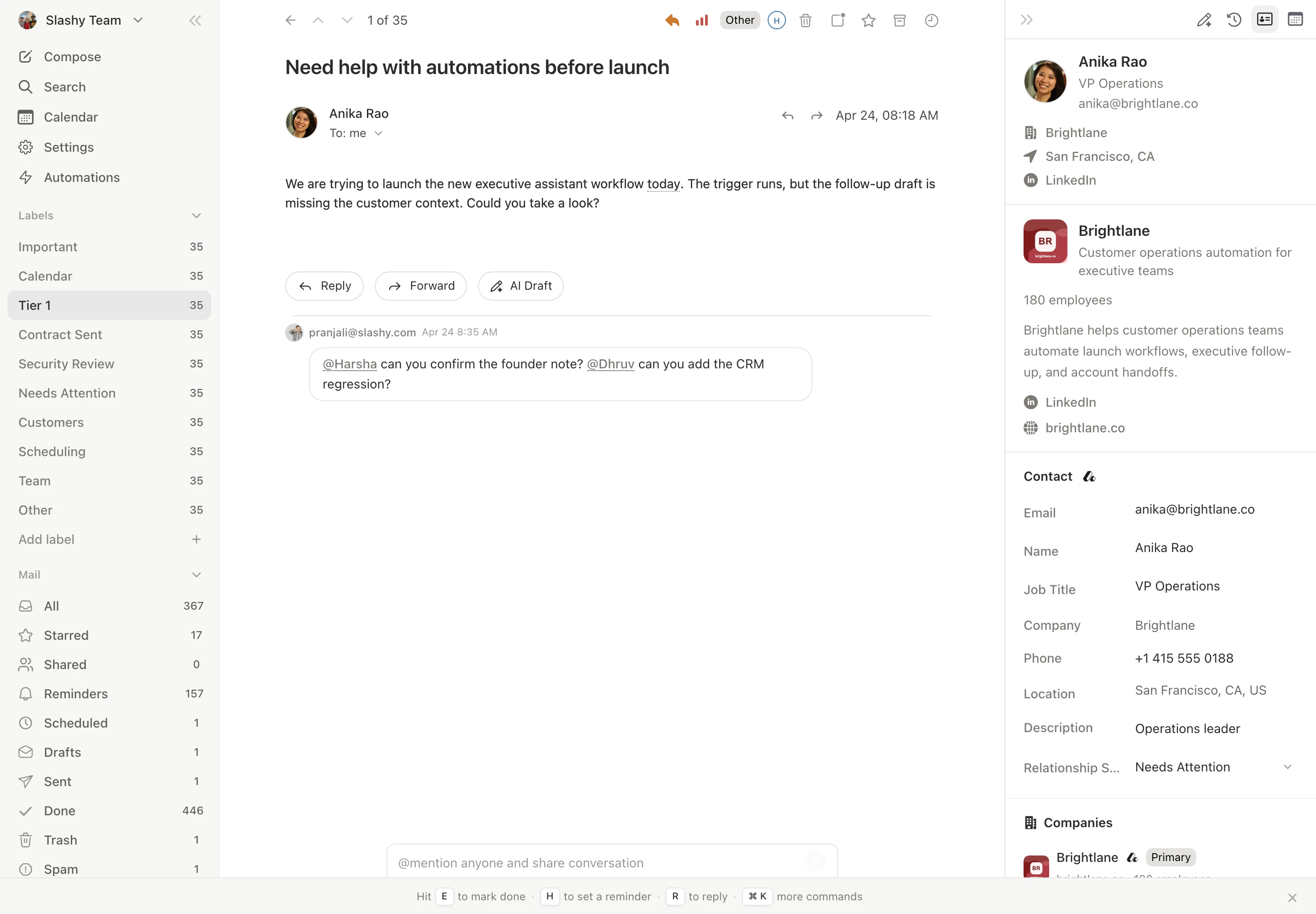
What’s in the sidebar
The contact sidebar shows everything Slashy knows about a person on one panel:- Identity. Full name, title, company, and LinkedIn link.
- Company. Industry, size, website, and one-line description.
- Meeting history. Past and upcoming calendar events with this contact, with date, title, and a link into the event.
- Recent emails. Latest threads with this contact, clickable to jump to the thread.
- AI memories. Facts Slashy has stored about them, anything from “Prefers email over Slack” to “Co-founder at Acme; we discussed the Series B in March.”
Opening the sidebar
You have two paths:From a thread
Open any thread and the contact panel appears on the right by default. Use
Cmd+. to toggle the right sidebar if it’s hidden.Editing contact info
Click any field on the contact card to edit it inline. Name, title, company, and LinkedIn URL are all editable. Edits persist across sessions and feed back into AI drafts and meeting prep.Adding a memory
Inside the sidebar, click Add memory to write something Slashy should remember about this contact. Memories are scoped to the person, picked up in every AI draft addressed to them, and surfaced again in meeting prep. Good memories are short and factual:- “Prefers Loom walkthroughs over written specs.”
- “CTO at Acme, technical evaluator on the deal.”
- “Met at YC W24 demo day, introduced by Sam.”

How it powers AI features
The contact profile is the context layer for almost everything the agent does:- AI drafts pull in title, company, recent threads, and memories so replies sound informed rather than generic.
- Meeting prep uses the profile to brief you before calls, including who the attendees are, what you last discussed, and any memories you have stored.
- Search ranks people who appear here higher when you query for a name.

Related
AI memories
What memories are and how to write good ones.
Search overview
Find any thread by participant, content, or label.
Meeting prep
Walk through a full meeting prep using the sidebar.
Agent autonomy
How the agent uses contact data when acting on your behalf.
HubSpot integration
Sync contacts and activity with HubSpot.