

Looking for where to manage your reminders or see what triggers are running? You’re in the right place.
How Automations Work
Describe what you want
Open the agent sidebar (
Cmd+Shift+L) and describe the automation in natural language. Example: “When I receive a receipt, forward it to receipts@expensify.com.”Agent creates the trigger
The agent parses your request into a condition (what to match) and an action (what to do). It shows you a preview for confirmation.
Types of Automations
Email Triggers
Fire when an email matches a natural-language condition. Forward receipts, alert on VIP emails, draft replies automatically.
Calendar Triggers
Fire before or after calendar events. Meeting prep briefings, post-meeting follow-ups, RSVP management.
Auto-Reminders
Automatic nudges when emails go unanswered. The AI detects dropped balls and reminds you.
Scheduled Reminders
Schedule the agent to run at a specific time. Daily inbox scans, weekly summaries, one-off future tasks.
Automation Templates
The Automations page ships with 50+ ready-to-use templates so you can activate common automations in one click without writing anything.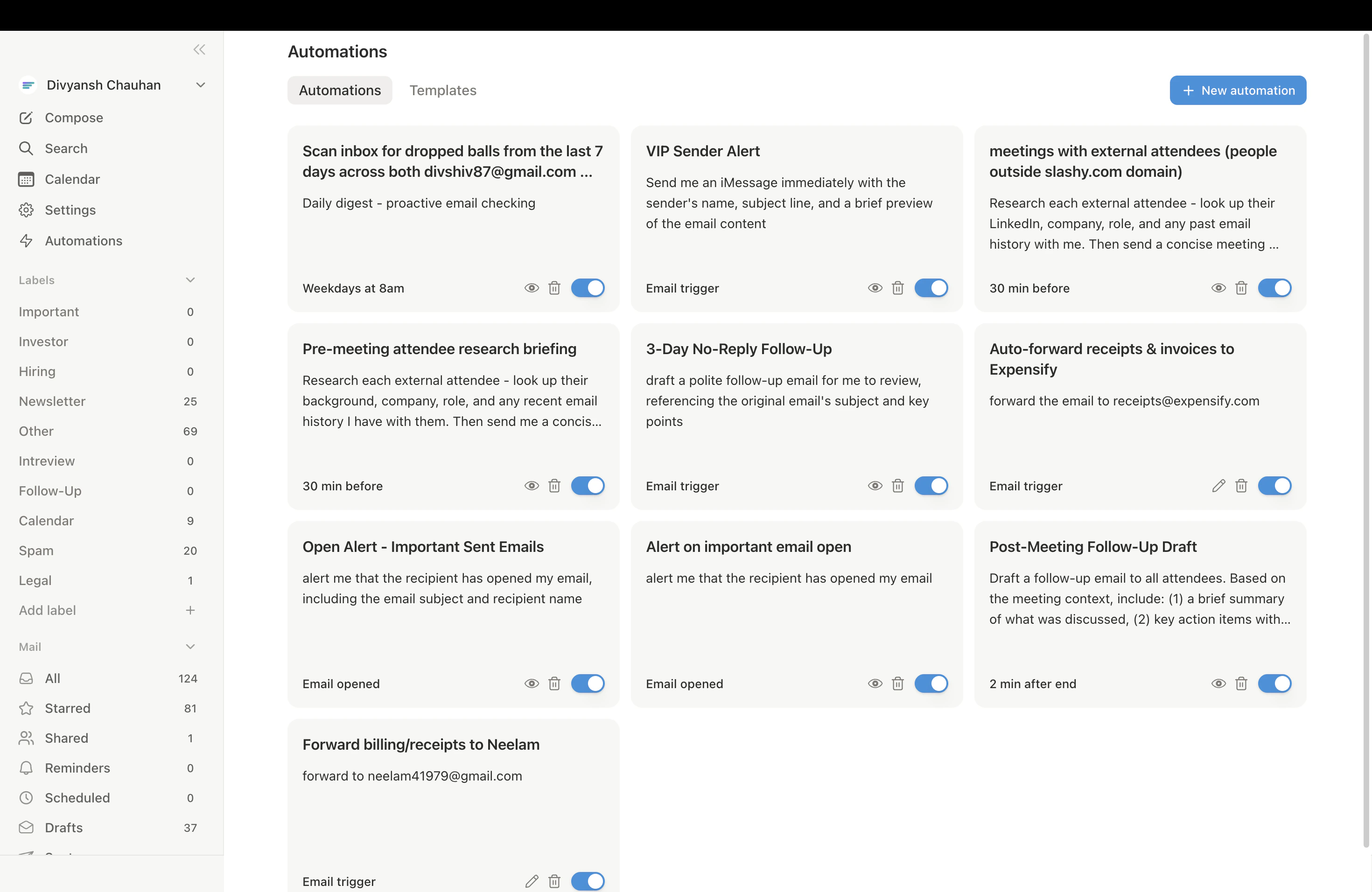
Cmd+K and type “Automations.”
Templates are organized into four category tabs:
| Category | What’s inside |
|---|---|
| Meeting Prep & Scheduling | Pre-meeting briefings, join reminders, post-meeting follow-ups |
| Sales & Pipeline | VIP alerts, deal follow-up trackers, intro email detectors |
| Real-time Alerts | OTP forwarding, receipt forwarding, urgent keyword alerts |
| Follow-up Tracking | Dropped ball scanners, unanswered thread nudges, customer SLA checks |
Managing Automations
All automations appear in Settings > Automations (Cmd+, then Automations tab). From there you can:
- Toggle automations on or off
- Delete automations you no longer need
- View activity to see recent trigger firings
Related Articles
10 Must-Have Automations
Step-by-step setup for the essentials.
Agent Autonomy
What the agent can and cannot do on its own.
Customize Your Agent
Control your agent’s writing style and preferences.
iMessage Setup
Connect your phone to receive automation alerts.