

Common Issues
| Problem | Fix |
|---|---|
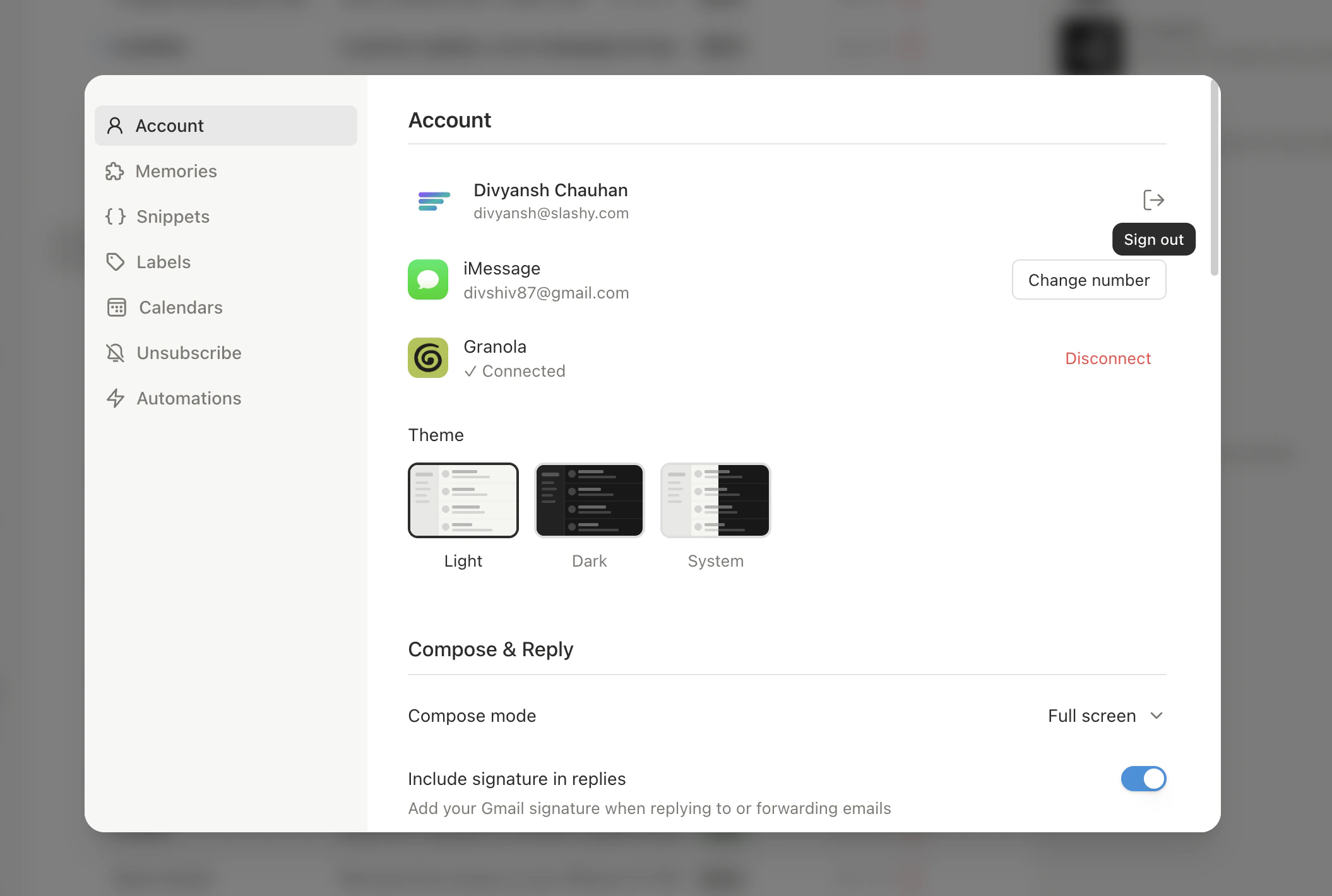
| Search not working | Cmd+R to reload. If still broken, quit and reopen. Persistent? Sign out and sign back in (Settings > Account). |
| Dark mode not persisting | Settings > Account > Theme — set to Dark explicitly instead of System (which follows macOS). |
| Refresh goes to wrong view | Set your preferred Default View in Settings > Account. |
| Agent sidebar won’t focus input | Press Cmd+Shift+L, then click the text field. If stuck, Cmd+R to reload. Known intermittent issue. |
| App feels slow or laggy | Quit and reopen. Check for pending updates (toast in bottom-left corner). |
| Notifications not appearing | Check System Settings > Notifications > Slashy (macOS). Also verify in Slashy Settings > Account. |
Global shortcut (Cmd+/) not working | System Settings > Privacy & Security > Accessibility — ensure Slashy is listed. Check no other app uses the same shortcut. |
| Dock badge stuck | Cmd+R to reload. Badge corrects on next sync (usually within 30 seconds). |
| Stuck on loading screen | Wait 10 seconds, then Cmd+R. If still stuck, fully quit (dock + system tray) and reopen. Requires network connection. |
| Calendar events missing | Check Settings > Calendars — toggle specific calendars on. Cmd+R to force sync. |
Stale Data
Inbox or threads look out of date
Inbox or threads look out of date
If emails, labels, or counts appear stale without a full sign-out, open the command palette (
Cmd+K), type Clear Cache and Reload, and select it. Slashy clears the local cache and reloads fresh data from the server. You stay signed in.Standard Reset Steps
Sign out and sign in
Settings > Account > Sign Out. Sign in again with Google for a fresh session and re-sync.
Reinstall
Download the latest version from slashy.com/download and install over the existing app.
Report a Bug
Need more help? Email founders@slashy.com or open the AI agent sidebar (
Cmd+Shift+L) and describe your issue. Include screenshots and your app version for fastest resolution.Mobile Troubleshooting
Fixes for iOS app issues.
Sync Issues
Email and calendar sync troubleshooting.